39 cursor effects

Animated cursors: sparkle trails, moving pointers and 39 cursor effects for Chrome

An animated cursor moves with you: stars streaming behind the pointer, a rainbow trail, bubbles, lightning, a galaxy that orbits the arrow. Cursor Style does it in two layers - animated cursors from the collections, plus 39 cursor effects inside the free Chrome extension - and both work on every page you open. Switch the trail on in the box below to see it.

  • 1 800+ cursors and 39 cursor effects
  • Free, no account needed
  • Windows, Mac, Chromebook
The Cursor Style arrow cursor zooming with a rainbow sparkle trail behind it

Try a cursor before you install anything

Pick a cursor and move your mouse inside the box. It changes there for real - exactly the way it will on every website after you press Apply.

Move your mouse around here

or hover this link

Now trying: Sakura Miku

Two kinds of animated cursor

The first kind is the cursor itself: a pointer whose image moves - blinks, sparkles, spins - the way old .ani files did in Windows. On Cursor Style these are simply cursors in the collections; you apply them like any other.

The second kind is a cursor effect: an animation drawn on the page around the pointer - a trail of stars, hearts, pixels or sparks that follows your mouse. Effects live in the extension, work with any cursor, and have their own settings: colour, size, how long the trail lasts. This is what most people mean by "animated cursor", and it is the part no .cur file can do.

The cursor effects in the extension

Open the extension icon, choose an effect, and it starts on every tab. Some of the 39:

  • Sparkle Stars
  • Rainbow Hearts
  • Glowing Trail
  • Star Shower
  • Bubble
  • Pixel Trail
  • Neon Lightning
  • Fire Sparks
  • Galaxy Orbit
  • Liquid Ripple
  • Ghost Cursor
  • Black Hole
  • Plasma Trail
  • Space Warp
  • Magnetic Ripples
  • Mystic Garden
  • Energy Portal
  • Holographic UI
  • 3D Parallax Depth
  • Cursor Spring
  • and 19 more inside the extension

Sparkles and stars

Sparkle Stars, Star Shower, Star Trail, Glitter - small bright shapes that scatter behind the pointer and fade.

Rainbow and hearts

Rainbow Hearts, Cursor Trail Mix with emoji or text particles, Bubble - the friendly ones, popular with the cute collections.

Space and energy

Galaxy Orbit, Black Hole, Space Warp, Energy Portal, Plasma Trail - for neon and gaming cursors.

Lightning and fire

Neon Lightning, Fire Sparks, Cyber Energy Field, Gravity Sparks - fast, bright, best on dark pages.

How to get an animated cursor

  1. Add Cursor Style to Chrome from the Chrome Web Store - free, one click.

  2. Apply any cursor from this page or a collection. Neon and glitter cursors pair best with effects.

  3. Click the extension icon, open Effects, pick one and adjust colour and size. It runs on every page until you turn it off.

Effects are drawn on the page, so they are light on the computer and easy to switch off. If a page feels busy, lower the particle count in the effect settings or turn the effect off for that tab.

Collections that pair best with effects

Neon, glitter, Geometry Dash, Vocaloid, Dragon Ball - bright cursors that look right with a trail behind them.

Neon Cursors characters

Neon Cursors

8 Cursors 7.4K Downloads
Neon Cursors characters

Neon Cursors

13 Cursors 3.9K Downloads
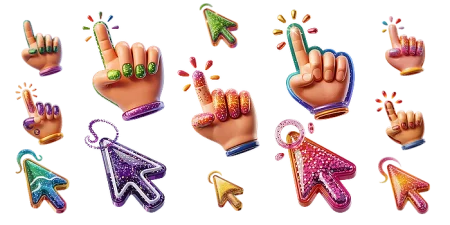
Glitter characters

Glitter

17 Cursors 4.5K Downloads
Geometry Dash characters

Geometry Dash

89 Cursors 28K Downloads
Vocaloid characters

Vocaloid

11 Cursors 18K Downloads
Dragon Ball characters

Dragon Ball

20 Cursors 20K Downloads
Mystic Unicorn characters

Mystic Unicorn

18 Cursors 1.5K Downloads
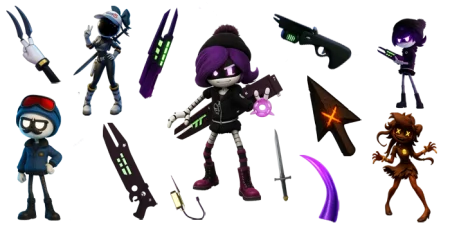
Murder Drones characters

Murder Drones

9 Cursors 7.8K Downloads
Colored characters

Colored

14 Cursors 4.4K Downloads
Filled Cursors characters

Filled Cursors

34 Cursors 11K Downloads
Games characters

Games

46 Cursors 9.9K Downloads
Fortnite characters

Fortnite

38 Cursors 7.6K Downloads

Cursors people animate most

Click Apply on any cursor. If the extension is not installed yet, you will be offered to add it - one click, free.

Sakura Miku

Sakura Miku Sakura Miku
Downloads 3,361

Goku

Goku Goku
Downloads 3,037

Hatsune Miku

Hatsune Miku Hatsune Miku
Downloads 3,018

Broly

Broly Broly
Downloads 2,496

Snow Miku

Snow Miku Snow Miku
Downloads 2,348

Astro Byte Patrol

Astro Byte Patrol Astro Byte Patrol
Downloads 2,165

Cyn

Cyn Cyn
Downloads 1,928

Beerus

Beerus Beerus
Downloads 1,736

Gumi

Gumi Gumi
Downloads 1,531

Vegeta

Vegeta Vegeta
Downloads 1,405

Teto Kasane

Teto Kasane Teto Kasane
Downloads 1,397

Kagamine Rin

Kagamine Rin Kagamine Rin
Downloads 1,286

Gohan

Gohan Gohan
Downloads 1,278

Gackpo

Gackpo Gackpo
Downloads 1,231

Frieza

Frieza Frieza
Downloads 1,210

Drone N

Drone N Drone N
Downloads 1,199

Luka Megurine

Luka Megurine Luka Megurine
Downloads 1,067

Pink

Pink Pink
Downloads 1,057

Blue

Blue Blue
Downloads 1,050

Trunks

Trunks Trunks
Downloads 1,032

Bolt jaw

Bolt jaw Bolt jaw
Downloads 1,028

Bat Wings & Finn Face

Bat Wings & Finn Face Bat Wings & Finn Face
Downloads 1,019

Meiko

Meiko Meiko
Downloads 988

Aqua

Aqua Aqua
Downloads 936

See all popular cursors →

Frequently asked questions

Are animated cursors free?

Yes. Animated cursors and all 39 effects are free, with no account needed.

Is a .ani file needed?

No. Nothing is downloaded. The animation is either in the cursor image the extension shows or drawn on the page by the extension - no .ani, .cur or installer.

Do the effects work on every website?

On every page you open in Chrome. The only exceptions are pages Chrome locks for extensions, such as the Chrome Web Store and chrome:// settings, where the default cursor stays.

Can I change the colour and size of the trail?

Yes. Each effect has its own settings in the extension: colour or gradient, particle size and count, how long the trail lasts. Some let you pick emoji or text as the particles.

Will an animated cursor slow the page down?

Effects are a few dozen small particles drawn with the browser's own graphics; on a normal laptop or Chromebook the cost is not noticeable. You can lower the count or turn the effect off any time.

Ready to change your cursor?

A free Chrome extension: one click to add, thousands of cursors and 39 effects. Remove it any time - nothing stays on your computer.

Add Cursor Style to Chrome - it's free

Looking for the cursor itself first? See cool cursors. New to all this? Start with custom cursor for Chrome.

Cursor Style extension

Get Cursor Style for Chrome

Make every website more fun with playful custom cursors.

Free Easy setup Fun cursor packs
Available in the Chrome Web Store