












What a custom cursor is - and what it is not
The cursor (or mouse pointer) is the arrow you move around the screen. A custom cursor replaces that arrow and the hand pointer with your own pair of images - an animated cursor even moves. In the old days you downloaded .cur or .ani files and dug into Windows settings; a browser cursor changer like Cursor Style does the same thing inside Chrome, so it works on any computer, needs no administrator rights and is switched on or off in one click.
Because it lives in the browser, a custom cursor from Cursor Style shows up on every page you open in Chrome - YouTube, Google Docs, Roblox, your school portal - while the system cursor on the desktop stays untouched. That is also why it works on Chromebooks, where system cursors cannot be changed at all.

Thousands of designs
Anime, games, memes, cute animals, cars, neon and minimalist pointers - every cursor comes with a matching hand pointer.

Animated cursors and trails
Animated cursors that move as you use them, plus 39 cursor effects: sparkles, rainbow trails, stars, bubbles, lightning.

Works everywhere in Chrome
YouTube, Google Docs, Roblox, your school portal - the custom cursor follows you to every page you open.

Nothing to download
No .cur or .ani files, no installer, no admin rights. Add the extension from the Chrome Web Store, pick a cursor, press Apply.
Popular custom cursor styles
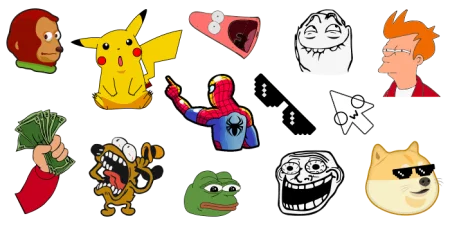
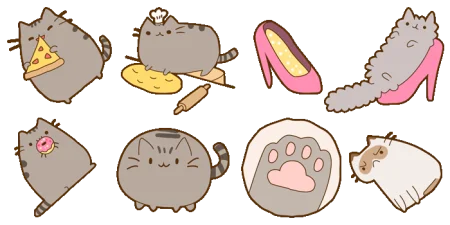
Cursor Style is organised in collections: anime cursors, game cursors, meme cursors, cute cursors, cartoon characters, cars, neon and minimalist pointers. These are the collections people open most - each one has dozens of matching cursor and pointer pairs.
Animated cursors and cursor trails
Many cursors in the library are animated: the pointer blinks, sparkles or moves as you use it. On top of the cursor itself the extension adds cursor effects - a sparkle trail, a rainbow trail, stars, hearts or bubbles that follow the mouse. Effects are turned on from the extension and combined with any cursor.
You can also change the cursor size. If a cursor looks too small on a big screen or too large on a laptop, drag the size slider in the extension - the change applies immediately.
How to get a custom cursor in Chrome
-
Add Cursor Style to Chrome from the Chrome Web Store. It is free and takes one click.
-
Open any collection on this site - or search for a character by name - and pick a cursor.
-
Press Apply. The cursor changes on every page you open. To switch, pick another one; to add a trail effect, open the extension icon.
Custom cursors on Windows, Mac and Chromebook
Because the cursor is changed by the Chrome extension and not by the operating system, the same custom cursor works on Windows, macOS, Linux and ChromeOS. On a school-managed Chromebook it works whenever the administrator allows extensions from the Chrome Web Store. Other Chromium browsers - Edge, Brave, Opera - can install the extension from the same store.







 47
47


