Neon, gaming, sports cars

Cool cursors: neon, gaming and animated mouse cursors for Chrome

A cool cursor is the fastest way to make a plain browser look like yours. Neon arrows that glow, Geometry Dash and Dragon Ball pointers, sports cars, lightning trails - Cursor Style has hundreds of them, all free, and you can try any of them right on this page before you install anything.

  • 1 800+ cursors and 39 cursor effects
  • Free, no account needed
  • Windows, Mac, Chromebook
The Cursor Style arrow cursor in sunglasses, lit by neon blue and magenta light

Try a cursor before you install anything

Pick a cursor and move your mouse inside the box. It changes there for real - exactly the way it will on every website after you press Apply.

Move your mouse around here

or hover this link

Now trying: Goku

What makes a cursor cool

The coolest cursors have three things in common: a clean silhouette you can still aim with, a colour that stands out on any page, and a matching hand pointer so the set stays consistent when you hover a link. Every cursor on Cursor Style comes as a pair - the arrow and the hand - drawn to the same style, and the collections below are the ones people pick when they want something that looks sharp rather than cute.

If you want the cursor to move, add a cursor effect on top: a glowing trail, lightning, a galaxy orbit or pixel sparks that follow the pointer. Effects live in the extension and work with any cursor, so a neon arrow with a neon energy trail is two clicks, not a download.

Cool cursor styles people pick most

Neon and glow

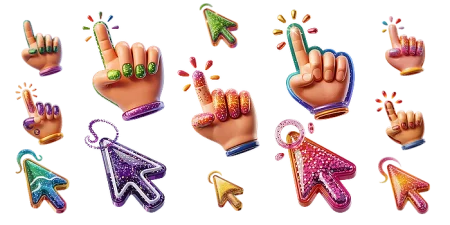
Bright outlines on a dark core - neon arrows, glitter pointers, RGB gradients. They stay visible on dark sites and light ones.

Gaming cursors

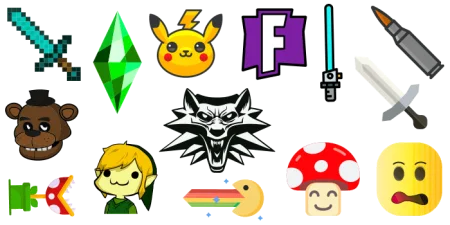
Geometry Dash, Fortnite, Minecraft, Brawl Stars, Halo - cursors and pointers drawn from the games people actually play.

Cars and speed

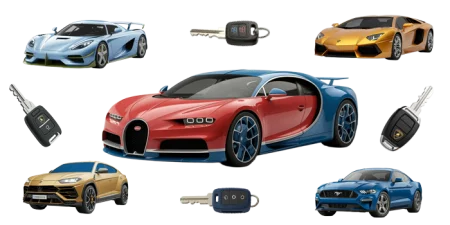
Sports cars, rockets, jets and race-style pointers for anyone who likes fast things on the screen.

Anime and heroes

Dragon Ball, One Piece, Jujutsu Kaisen, Batman, Star Wars, Marvel - characters with attitude, as a cursor.

Make it move: cursor effects

The extension ships 39 cursor effects - Neon Lightning, Plasma Trail, Galaxy Orbit, Fire Sparks, Cyber Energy Field, Black Hole and more. Turn one on from the extension icon, adjust the colour and size, and it follows whichever cursor you have applied. Switch the sparkle trail on in the box above to see the idea.

How to get it in three steps

  1. Add Cursor Style to Chrome from the Chrome Web Store. It is free and takes one click.

  2. Pick a cursor on this page or in any collection - or search for a character by name.

  3. Press Apply. The cursor changes on every page you open; switch to another one or add a trail effect whenever you like.

Cool cursor collections

Neon, gaming, cars, anime heroes - the collections people open when they want a cursor that looks sharp.

Neon Cursors characters

Neon Cursors

8 Cursors 7.4K Downloads
Neon Cursors characters

Neon Cursors

13 Cursors 3.9K Downloads
Geometry Dash characters

Geometry Dash

89 Cursors 28K Downloads
Dragon Ball characters

Dragon Ball

20 Cursors 20K Downloads
Glitter characters

Glitter

17 Cursors 4.5K Downloads
Sports Cars characters

Sports Cars

15 Cursors 7.3K Downloads
Games characters

Games

46 Cursors 9.9K Downloads
Murder Drones characters

Murder Drones

9 Cursors 7.8K Downloads
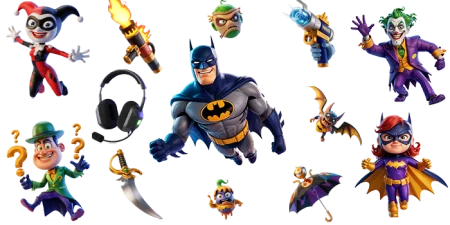
Batman characters

Batman

28 Cursors 2.2K Downloads
Fortnite characters

Fortnite

38 Cursors 7.6K Downloads
Star Wars characters

Star Wars

37 Cursors 4.7K Downloads
Marvel Comics characters

Marvel Comics

10 Cursors 4.7K Downloads

The coolest cursors right now

Click Apply on any cursor. If the extension is not installed yet, you will be offered to add it - one click, free.

Goku

Goku Goku
Downloads 3,037

Monkey D

Monkey D Monkey D
Downloads 2,926

Broly

Broly Broly
Downloads 2,496

Satoru Gojo

Satoru Gojo Satoru Gojo
Downloads 2,294

Astro Byte Patrol

Astro Byte Patrol Astro Byte Patrol
Downloads 2,165

Spiderman

Spiderman Spiderman
Downloads 1,937

Cyn

Cyn Cyn
Downloads 1,928

Beerus

Beerus Beerus
Downloads 1,736

Ryomen Sukuna

Ryomen Sukuna Ryomen Sukuna
Downloads 1,440

Vegeta

Vegeta Vegeta
Downloads 1,405

Yuji Itadori

Yuji Itadori Yuji Itadori
Downloads 1,354

Gohan

Gohan Gohan
Downloads 1,278

Roronoa Zoro

Roronoa Zoro Roronoa Zoro
Downloads 1,251

Frieza

Frieza Frieza
Downloads 1,210

Drone N

Drone N Drone N
Downloads 1,199

Pink

Pink Pink
Downloads 1,057

Blue

Blue Blue
Downloads 1,050

Trunks

Trunks Trunks
Downloads 1,032

Bolt jaw

Bolt jaw Bolt jaw
Downloads 1,028

Bat Wings & Finn Face

Bat Wings & Finn Face Bat Wings & Finn Face
Downloads 1,019

Ironman

Ironman Ironman
Downloads 952

Aqua

Aqua Aqua
Downloads 936

Green

Green Green
Downloads 928

Portgas D

Portgas D Portgas D
Downloads 920

See all popular cursors →

Frequently asked questions

Are cool cursors free?

Yes. Every cursor and every cursor effect in Cursor Style is free. No account is needed to apply a cursor; an account only adds extras such as a personal collection and the community chat.

Do these cursors work in games?

On any game that runs in a Chrome tab - Roblox in the browser, .io games, Geometry Dash on a website. Games that lock the pointer for aiming, and games installed outside the browser, use their own cursor.

Can I make the cursor bigger?

Yes. The extension has a size slider; the change applies immediately on every page. A larger cursor is also easier to see on a big monitor or a TV.

Which cursor effects look best with neon cursors?

Neon Lightning, Neon Energy Trail, Glowing Trail and Plasma Trail were drawn for exactly that. For gaming cursors, Pixel Trail and Fire Sparks fit the style.

Will it slow down my browser?

A cursor is a small image, so it costs nothing. Effects draw a few particles on the page; they are lightweight, and you can turn any effect off from the extension icon.

Ready to change your cursor?

A free Chrome extension: one click to add, thousands of cursors and 39 effects. Remove it any time - nothing stays on your computer.

Add Cursor Style to Chrome - it's free

Want the cursor to move? See animated cursors. Rather make people laugh? Try funny cursors.

Cursor Style extension

Get Cursor Style for Chrome

Make every website more fun with playful custom cursors.

Free Easy setup Fun cursor packs
Available in the Chrome Web Store